Tuesday, February 26, 2013

Live Minutes - Free Conferencing (Webinar)


http://liveminutes.com
LiveMinutes is a FREE service that lets you organize web meetings (webinars) to share and annotate documents with team members, students, clients, etc. You can use LiveMinutes for internal meetings, training, teaching...FREE.

First, sign up for an account - follow the tutorial when you sign in.  To get started just click "start sharing" and a meeting space is created for you. That meeting space is assigned a URL that you can share with the people you want to join you.
 
Live Minutes offers a good selection of tools that you can utilize to share ideas with others. You can talk to each other using either the Live Minutes audio or by connecting through Skype. Live Minutes offers a collaborative whiteboard for drawing. You may upload images and documents for others to see and comment. And in the future Live Minutes will allow you to share videos during your webinar.
This is a great way to quickly host a live online tutoring session with students or talk to you collegues wherever they may be. The drawing option on the whiteboard could be very handy for illustrating concepts that are difficult to type quickly on a keyboard or that lose meaning when someone is just explaining rather than showing.
Really Free Conferencing!
Hangout with your friends or colleagues, share videos (up to 9) and conference for free. Join the call with your browser, Skype or your phone directly. No long distance charges, the number is toll-free, really.
More? In the US, you can even get called by the conference on your landline or mobile directly !
Meeting is recorded : The recording of your call are saved to your reports or to your Dropbox account.


Tuesday, February 19, 2013

WatchKnowLearn - Educational Videos

Imagine hundreds of thousands of great short videos, and other media, explaining every topic taught to school kids. Imagine them rated and sorted into a giant Directory, making them simple to find. WatchKnow--as in, "You watch, you know"--is a non-profit online community devoted to this goal.  Launched in October 2009 after a year-long development period, WatchKnow is a wiki-style portal that gathers and organizes educational videos for students ages 3 to 18. An age filter slider allows you to easily focus your search. 

The Vision behind WatchKnowLearn is simple:
To provide a world-class, online domain on which educators can store, categorize, and rate the best, K – 12 educational videos on the Internet today. And to make this service FREE so teachers, parents and students everywhere may have access to those videos.

WatchKnowLearn has indexed approximately 50,000 educational videos, placing them into a directory of over 5,000 categories. The videos are available without any registration or fees to teachers in the classroom, as well as parents and students at home 24/7.


Tuesday, February 5, 2013

ThingLink - Create video, music, text IN a picture!

http://www.thinglink.com

What is ThingLink?

ThingLink helps you create and discover rich images.

Be creative! Make your images come alive with music, video, text, images, shops and more!
Every image contains a story and ThingLink helps you tell your stories. Follow image channels from your favorite bands, bloggers and friends. Your ThingLink interactive images form a channel that other users can follow.
Share your channel with friends on Facebook and Twitter, and follow your friends. Touch and discover.


Here is a link to a picture for Valentines' Day
 
http://www.thinglink.com/scene/346325469999661056?buttonSource=searchPage
You may click on the hearts and get a history of Valentine's Day or a Beatles' song, "And I Love Her."
Click on the link above and see how this works...


You may search by a subject.  There are many pictures with Martin Luther King Jr. with clicking points for his "I have a dream" speech, facts about his life, and websites for additional information. 
 
Simple task:  Locate a picture that relates to your topic.  Attach videos, music, text, images, websites, etc.to create a "talking" picture.  I can see some very interesting presentations!!!

Tuesday, January 29, 2013

AuthorSTREAM - UPLoad Your Powerpoint for access anywhere!

www.authorstream.com
AuthorSTREAM is another one of many websites that allow you to upload a PowerPoint presentation and access it from any computer with an internet connection. It’s nice because you can select the privacy settings you want for your PowerPoint.
 

Tuesday, January 22, 2013

Create an Online Book Club - BookClubIT

Create Online Book Clubs 

What is Bookclubit.com?
Bookclubit.com is the web first and only book lovers portal where users can create and manage book clubs online. Whether you just need to keep your local book club organized or would like to connect with readers around the world. Bookclubit is a full service solution for you.
How does it work?

Bookclubit.com was made to be as simple as possible. It follows the same general rules you use for your in-person book club.

1.     Register for free

2.     Create your book club

3.     Add your favorite books or books you would like to read to your book shelf

4.     Read the current book and create topic discussions for each book

5.     When you change books, simply change the book and create discussions for that book

6.     If you would like, you can create meetings to meet up with your book club or meet online for quicker discussions

Who can use it?

Bookclubit.com is great for any book reader! It is used in schools across the country and growing every day. Whether your a teacher is looking to get your class to participate in book discussions or a group of book lovers looking to expand your reading repertoire

Bookclubit allows you to set up a bookclub within seconds. Create your very own customized book club and invite friends or connect with friends online who have similiar book interest. Or just create for your own information on books you have read.  I've not tried it, but it looks fairly straightforward.

Tuesday, January 15, 2013

TagCrowd - WordCloud, TextCloud, or TagCloud

What is TagCrowd?    http://tagcrowd.com/

TagCrowd is a web application for visualizing word frequencies in any text by creating what is popularly known as a word cloud, text cloud or tag cloud.

A word cloud is a beautiful, informative image that communicates much in a single glance. TagCrowd specializes in making word clouds easy to read, analyze and compare, for a variety of useful purposes:

  • Topic summaries for Speeches and written works.
  • Blog tool or website analysis for search engine optimization.
  • Help writers and students reflect on their work.
  • Name tags
  • Resumes
  • Visual poetry
  • The list goes on and continues to grow.
There are three ways of entering text into TagCrowd to generate a word cloud:
  1. Enter the URL for a web page you wish to visualize,
  2. Paste (or type) the text you wish to visualize into the text box,
  3. Upload a plain text file to visualize.


Tuesday, January 8, 2013

TubeChop - Edit YouTube Videos!

HAPPY NEW YEAR!!!
TubeChop    
www.tubechop.com

If you want to show a YouTube video in class that is too long or only parts of video are relevant, use Tubechop to cut out all of the excess and only keep what you want to show.

TubeChop lets you take a YouTube video’s URL, pop it into their system, and then select and use a clip from a longer video. You can link to your selection, or you can grab the code to embed on your news site or blog.

NOTE:   For Senior Projects:  If you are using a YouTube video, this is a way to just use a couple of minutes of the YouTube video in your presentation.

Tuesday, December 18, 2012

TimeGlider - Create an interactive Timeline


Timeglider is a data-driven interactive timeline application. You can "grab" the timeline and drag it left and right, and zoom in and out — much as you would with a mapping app — to view centuries at a time or just hours. You can create create event spans so that you can see durations and how they overlap. Being web-based, Timeglider lets you collaborate and share easily.
 
You can create timelines about the last year of your family, the last century of world events, or about pre-historical (bce/bc) times. You can zoom in to see ten minutes, or zoom out to see billions of years.

Here is how TimeGlider Works:  http://timeglider.com/how_it_works

Check out this 5-page "How To:"  http://tinyurl.com/c9o65wb  If you are working with a class, this may be a handy guide to share.
The FREE version allows for 3 timelines for 1 user with 16 images.  Might be enough for a project...each student would create their own account.
And finally, a 2-minute YouTube on creating timelines with TimeGlider:            

Thursday, December 6, 2012

STUDYBLUE - Online Flashcards

Make, study and share online flashcards,
study guides and quizzes. Anytime. Anywhere.
Students can make and edit flashcards on their iPads using text, audio, and images

Tuesday, December 4, 2012

TitanPad - Collaboration Tool


TitanPad

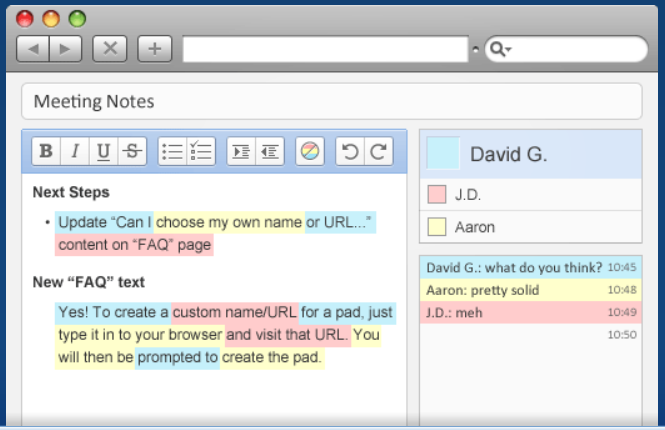
Allows multiple people to work on one document at the same time. Great collaborative tool. After creating your TitanPad you then share the link with those you want to use it and everyone can collaborate at the same time on the document. Once it is complete you can save, share, import/export, or continue to edit.