Tuesday, March 27, 2012

Exploratorium: Science, Art & Human Perception

The Exploratorium is a museum in San Francisco with over 475 participatory exhibits, all of them made onsite, that mix science and art. It also aims to promote museums as informal education centers.

The Exploratorium isn’t just a museum; it’s an ongoing exploration of science, art, and human perception—a vast collection of online interactives, web features, activities, programs, and events that feed your curiosity.  Dive into a unique exploration of science, art, and human perception in the Exploratorium. Watch, view, experience, learn and play using hundreds of web pages and activities. Take a gross-out walk, dissect a cow's eye, make your own petroglyph...the choices are endless.

The online activities page of Exploratorium has learning activities for life science and physical science topics. From activities about sports science like fastball reaction time to activities about mutant fruit flies and activities about Antarctic ice, there is something to engage just about every science student.

In addition to the online activities page, Exploratium also offers some great online exhibitions and an online magazine packed with educational material. Science teachers looking for hands-on activities to use in their classrooms will want to check out Exploratorium's hands-on activities page. Those teachers and students that use Second Life will want to visit Exploratorium Island in Second Life.
Exploratorium has something for just about everyone. The bulk of the online activities can be accessed by students in the fourth grade or older. If you're not in a one-to-one computing environment the hands-on activities page provides some great directions for fun off-line learning activities. Some of the virtual tours could be used on a Smart Board/ White Board.

Tuesday, March 20, 2012

Converting Files: 4 Websites to Convert Files.


#1
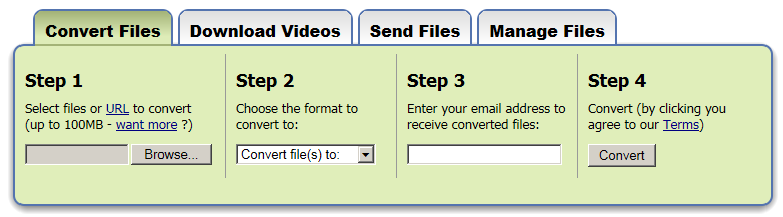
Zamzar... a lot of different file conversions and you convert right on this website!
No Program Download.


___________________________

#2
   ConverterLite  
Free Audio and Video
Conversion Software
ALWAYS FREE
ConverterLite is free software that uses the powerful FFmpeg project to convert audio and video files quickly and simply.
AUDIO and MP3 Converter
You can convert mp3 files to AC3, MP4, OGG, WAV and WMV. You can also convert mp4 to mp3 and any movie audio to mp3. Many audio conversion possibilities in major formats!
MOVIE and  VIDEO  Converter
Convert MPEG to AVI, FLV to AVI, F4V, and Quicktime MOV to AVI. You can also convert from AVI to MPEG or other major formats. Batch converting is possible for all formats.
MULTILINGUAL
May be used in English, Spanish, French, Chinese, Russian, Dutch, Japanese and many more languages
_______________________________________
#3
     Format Factory
is a multifunctional media converter. Free Download.

                                                                      http://www.formatoz.com
Format Factory's features:
1. Supports converting all popular video, audio, picture formats to others.
2. Repairs damaged video and audio file.
3. Reduces Multimedia file size.
4. Supports iphone,ipod multimedia file formats.
5. Picture converting supports Zoom, Rotate/Flip, and tags.
6. DVD Ripper.
7. Supports
60 languages
__________________________________________________________

#4

     Media Converter
http://mediaconverter.org 
Does not require students to submit any personal information at all (not even an email). Fast. Free.

Limited to 5 conversions per day on Free usage.


Tuesday, March 13, 2012

Digital Vaults -

The National Archives Experience:  The Digital Vaults
http://www.digitalvaults.org/

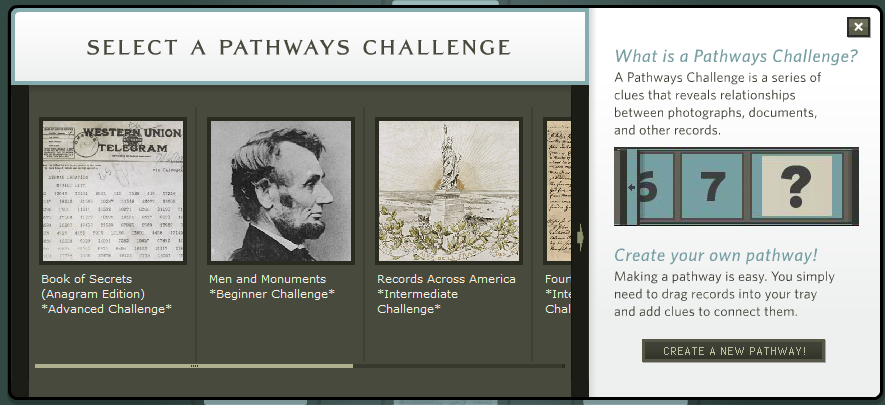
The National Archives new "Digital Vaults" exhibit delivers an online experience that is unlike any other. With a database of some 1,200 documents, photographs, drawings, maps, and other materials and a keywording system that visually links records, the Digital Vaults enables visitors to customize their exhibit experience and to create posters, movies, and games that can be shared by e-mail. Each record in Digital Vaults is also linked to the National Archives' Archival Research Catalog (ARC), so visitors who want to know more can take the first steps toward a research journey into the National Archives.
The site has a special interactive resources section for educators and students. Teachers can get great ideas on lesson plans using reproducible primary sources, find information on teaching activities correlated to National Teaching Standards, and engage in a variety of professional development programs - on-site or online. Students can explore the depth and diversity of the holdings of the National Archives for their own school projects, gear up for National History Day, or even pick up a virtual pen and sign the Declaration of Independence! 


Tuesday, March 6, 2012

SurveyMonkey

Survey Monkey is a web service that enables you to create and publish online surveys in minutes, and view results graphically and in real time.
I did not have this on the website, and felt it needed to be here!  Almost all of us have taken a SurveyMonkey survey, but have you created one?

    Here is what you get for Free:

On the website, there are additional Pricing Tiers you may choose.

It is easy to create a survey! 
Under Take a Tour, you will find How to
     Create Surveys
     Collect Responses
     Analyze Results

There is an online User Manual for SurveyMonkey:
http://s3.amazonaws.com/SurveyMonkeyFiles/UserManual.pdf

Tuesday, February 28, 2012

HelloSlide -


HelloSlide is a website that gives life to your presentations.
It helps you share your message more effectively, by adding voice on top of your slides. Instead of recording your voice, just type the speech,
and HelloSlide generates the audio automagically.

It's simple:

1.    Upload a PDF of your slides to our website.
2.    Type the speech for each slide using our editor.
3.    Press play to hear your presentation.
Once you type the speech for your slides, you can:
1.    Edit the speech until it's perfect.
2.    Make it available in 20 different languages, “automagically.”
3.    Make your presentation more visible on the web, because search engines will index the speech in your presentation.

Q. How do I register for HelloSlide?

In the sign up page, enter your email and pick a password. they'll send you a email with a link that you can click to complete your registration. That's it!
There is a Free version or you may pay for addition storage

Q. What file formats do you support?

For now, you can only upload your presentation in PDF, but we will soon support other formats.
If you created your presentation in PowerPoint or Keynote, you can export it to PDF:
Q. Is there a size limit for each upload?
Yes, your PDF must be smaller than 100 MB.
Q. How do I add a voice to my presentation?
After you upload your PDF to our website:
1.    Press the edit button in the top toolbar.
2.    Type the speech for each slide.
3.    Hear the result by pressing play in the top toolbar. There's also a preview button to hear the speech for just one slide.

Tuesday, February 21, 2012

Globaloria

This is a site of learning games made by students! 
I played the BONES game.  Could be used with Health, Science or just for fun!  There are all kinds of games for Punctuation, Civics, Environmental, Social Issues, Government, STEM and Music.  When you are at the homepage, click on the MORE GAMES button and you will be able to search by Subject, Filter by Groups and Sort by Alphabetical or Popular or Newest or Oldest.
This is Creative Commons offering Web 2.0 creative resources for learning. 
Globaloria holds three annual student Game Design Competitions (STEM, Civics & News Literacy, and Globeys) to celebrate excellence in game design and motivate students to dig deeper and go further in their learning while honing real-world skills. The competitions are launched in the fall and awards are given in the spring.  Globaloria launched in 2006, has been implemented with 5000 students and educators within 80 schools in seven states.  Some of you may wish to apply to incorporate Game Design Competitions.  Check the website for details.   http://www.globaloria.org/intro#WhatIsGlobaloria

We all have access to the games
that have been created!!

Tuesday, February 14, 2012

Wordle - Word Cloud


is a tool for generating “word clouds” from text that you provide. The clouds give greater prominence to words that appear more frequently in the source text. You can tweak your clouds with different fonts, layouts, and color schemes. The images you create with Wordle are yours to use however you like. You can print them out, or save them to the Wordle gallery to share with your friends.

From the blog, I (heart) EdTech, here is a 7 minute EdTech Tutorial you will learn how to use Wordle, see what you can make with Wordle, and walk away with great integration tips and ideas.  Whether you teach at the elementary or collegiate level, mathematics or language arts, Wordle is a fun and free web tool you can use to engage your students and spice up your lesson plans. 
How To Use Wordle In the Classroom:

Tuesday, February 7, 2012

MathPickle


Math Pickle - Math Videos and Exercises for K-12
Math Pickle is a nice site for locating videos and exercises appropriate for teaching a variety of mathematics concepts at a variety of grade levels. When you visit Math Pickle you can browse for videos by grade level. Once you've selected a grade level you can then refine your browsing to a particular concept. Each concept has a demonstration video and links to Keynote and Powerpoint files for teachers. Each concept also has links to PDF worksheets that you can download and print.
Across the top is a menu:
Be sure to check out what else is on this website....Under Muse---a Blog;  Puzzle Books - about Math;  and Inspired People is about Mathematicians! 
In the Classroom: 
For mathematics teachers looking for material to include in their next lesson plan, Math Pickle could be a handy resource.

Tuesday, January 31, 2012

Bubbl.us - BrainStorming & Mind Mapping Online


Bubbl.us is a mind-mapping product aimed towards  anyone who needs help organizing their thoughts or any untidy information. Powered by Flash, Bubbl.us makes it easy for anyone to quickly start planning and sorting out their ideas through the use of linked text bubbles. Each bubble of information is connected to its preceding parent bubble and color coordinated accordingly for hierarchy sake. Using the mouse wheel or the side tool bar allows for easy zooming in and out of your mind-maps. Also added to the tool bar is workspace positioning and setup styles, however most will find that holding the left mouse button and dragging is a much more convenient way of moving around the work area.

How to Use Bubbl.us on YouTube :

Tuesday, January 24, 2012

Read Cube


is a desktop application, for Windows and Mac, that is designed to help students organize their research. Read Cube provides a place for students to save and annotate scholarly documents. Through Read Cube students can search Google Scholar and Pub Med. Students can also import to Read Cube PDFs that they find elsewhere. The video below offers a short overview of what Read Cube can do.


Classroom Use:
When you download Read Cube, it will ask you for your university email. Don't be discouraged by that, I was able to register using my K-12 school email account. But the fact they ask for your university email account is an indication that Read Cube is clearly targeted to a higher ed audience. Still, Read Cube could be useful for some high school students working on long-term research assignments. You might also consider using it yourself for your next continuing education course.