Showing posts with label Career Tech LABS. Show all posts

Tuesday, April 30, 2013

TAGUL - Create Tag Clouds

Tagul is similar to Wordle. Both create customisable word or tag clouds, the difference is that Tagul’s clouds are embeddable into other websites such as blogs or wikis.
Tagul is a web service that enables you to create gorgeous tag clouds. It is created by Alex, an entrepreneur and tech geek from Moscow, Russia. You can read more in the FAQ section, visit the Blog or explore the Forums. 
It requires signing up with either a new Tagul account, or via some OpenID provider,

Tuesday, March 12, 2013

PADLET (Formerly Wallwisher)


http://padlet.com/

(The old Wallwisher)


  • Put the wall on your blog or website. Make it more wonderful.  Embed it!

  • Paste link to a youtube video? Check!

  • Drag a word document from your computer? Check!

  • Take a picture from your iPad camera? Check!

  • Keep your wall private between friends. If you like them, give them permissions like the ability to change what you write. If you are the social kind, make a public wall for the whole world to see.

  • Mobile:   Your phone, your tablet, your TV- Padlet works on everything.

  • Like flexibility? Use the free form layout. Like organization? Use streams.

EXAMPLES:


 I have used this as an "evaluation" tool.  After a presentation, I would ask participants to go the web address I give them and post a comment on the day's learning.  I am sure you can think of many other ways to use Padlet!!
How to use Padlet.com in the classroom?  from their Blog: http://tinyurl.com/awwy5ad   Click to see more ways to use!
"Teachers often write to us about how they use Padlet to pose a simple question to their class, or to collect exit tickets at the end of the class, or, sometimes, to collect assignments or projects from students."

Tuesday, February 19, 2013

WatchKnowLearn - Educational Videos

Imagine hundreds of thousands of great short videos, and other media, explaining every topic taught to school kids. Imagine them rated and sorted into a giant Directory, making them simple to find. WatchKnow--as in, "You watch, you know"--is a non-profit online community devoted to this goal.  Launched in October 2009 after a year-long development period, WatchKnow is a wiki-style portal that gathers and organizes educational videos for students ages 3 to 18. An age filter slider allows you to easily focus your search. 

The Vision behind WatchKnowLearn is simple:
To provide a world-class, online domain on which educators can store, categorize, and rate the best, K – 12 educational videos on the Internet today. And to make this service FREE so teachers, parents and students everywhere may have access to those videos.

WatchKnowLearn has indexed approximately 50,000 educational videos, placing them into a directory of over 5,000 categories. The videos are available without any registration or fees to teachers in the classroom, as well as parents and students at home 24/7.


Tuesday, September 18, 2012

FODEY - The Newspaper Clipping Generator


Fodey is a neat Web 2.0 tool that allows users to generate their own authentic newspaper clipping or one of the other "talking choices." Simply enter the name of a fictitious newspaper, date, headline, and story—and Fodey does the rest!

Besides being super easy to use, Fodey requires no log-in or registration. It also creates a pretty neat bulletin board worthy product!

To download your newspaper, use the link at the bottom of the generated image. You can use the images as you wish, ie. put them on your own website or blog. Please note, that direct linking to the newspaper clippings doesn't work; the images are deleted from the server after a short time span.

Tuesday, September 11, 2012

SKYPE in the Classroom

CONNECT YOUR CLASSROOM TO THE WORLD...                            http://education.skype.com/

Skype is a free and easy way for teachers to open up their classroom to the world! Meet new people, talk to experts, share ideas and create amazing learning experiences with teachers from around the world.

SKYPE is a free downloadable software that lets you do voice and video calls combined with instant messaging for free. The possibilities of Skype to flatten your classroom are endless.

This website, Skype in the Classroom, allows you to find other teachers using skype and the projects they wish to share with others.  You may find the perfect match for your classroom from anywhere in the world.  Just type in what subject you would like to share.  Or look at the projects currently being done...


Monday, April 30, 2012

Popplet - Platform for Your Ideas

http://popplet.com
Collect Inspiration
Create Galleries
Record Thoughts
Explore Ideas
Collaborate Together

Click on the Box:  "Check Out Our Preview Video" to see what Popplet can do for you.

Think of it as a canvas where you put your ideas, pictures, videos and then connect them like mindmapping.

Click one of the small circles that hovers near your note (Popplet calls these "Popples") while you're editing to connect your images, thoughts, or videos. Clicking on those small circles will launch a connected blank note that you can edit.
Educational Use:

§  Encourage collaboration on team projects
§  Map concepts and create timelines
§  Visually show the connction between information and ideas
§  Assist with remembering new facts and figures

Monday, April 23, 2012

PENZU - FREE Personal Journal or Online Diary

Penzu is an online diary and personal journal that is focused on privacy. With a unique and compelling user experience, it makes writing online as easy and intuitive as writing on a pad of paper.

Penzu offers a secure place to store your thoughts and ideas in the cloud. Not only are entries password protected in an online account, but individual entries can be locked with military-grade encryption.
With powerful security also comes extreme ease of use. The core component of the interface is the Pad - a metaphor for a pad of paper. This universal design element has allowed Penzu to transcend language and cultural barriers as people from 170 countries continue to use the service. Penzu has made the user experience a top priority and it is one of the main differentiations from complicated and confusing competitors.

The name, Penzu, comes from many influences, but mainly it is a derivative of the Latin "pensare" which means to think or be full of thought.

Here is what the journal/diary page looks like:

Tuesday, March 6, 2012

SurveyMonkey

Survey Monkey is a web service that enables you to create and publish online surveys in minutes, and view results graphically and in real time.
I did not have this on the website, and felt it needed to be here!  Almost all of us have taken a SurveyMonkey survey, but have you created one?

    Here is what you get for Free:

On the website, there are additional Pricing Tiers you may choose.

It is easy to create a survey! 
Under Take a Tour, you will find How to
     Create Surveys
     Collect Responses
     Analyze Results

There is an online User Manual for SurveyMonkey:
http://s3.amazonaws.com/SurveyMonkeyFiles/UserManual.pdf

Tuesday, February 28, 2012

HelloSlide -


HelloSlide is a website that gives life to your presentations.
It helps you share your message more effectively, by adding voice on top of your slides. Instead of recording your voice, just type the speech,
and HelloSlide generates the audio automagically.

It's simple:

1.    Upload a PDF of your slides to our website.
2.    Type the speech for each slide using our editor.
3.    Press play to hear your presentation.
Once you type the speech for your slides, you can:
1.    Edit the speech until it's perfect.
2.    Make it available in 20 different languages, “automagically.”
3.    Make your presentation more visible on the web, because search engines will index the speech in your presentation.

Q. How do I register for HelloSlide?

In the sign up page, enter your email and pick a password. they'll send you a email with a link that you can click to complete your registration. That's it!
There is a Free version or you may pay for addition storage

Q. What file formats do you support?

For now, you can only upload your presentation in PDF, but we will soon support other formats.
If you created your presentation in PowerPoint or Keynote, you can export it to PDF:
Q. Is there a size limit for each upload?
Yes, your PDF must be smaller than 100 MB.
Q. How do I add a voice to my presentation?
After you upload your PDF to our website:
1.    Press the edit button in the top toolbar.
2.    Type the speech for each slide.
3.    Hear the result by pressing play in the top toolbar. There's also a preview button to hear the speech for just one slide.

Tuesday, February 21, 2012

Globaloria

This is a site of learning games made by students! 
I played the BONES game.  Could be used with Health, Science or just for fun!  There are all kinds of games for Punctuation, Civics, Environmental, Social Issues, Government, STEM and Music.  When you are at the homepage, click on the MORE GAMES button and you will be able to search by Subject, Filter by Groups and Sort by Alphabetical or Popular or Newest or Oldest.
This is Creative Commons offering Web 2.0 creative resources for learning. 
Globaloria holds three annual student Game Design Competitions (STEM, Civics & News Literacy, and Globeys) to celebrate excellence in game design and motivate students to dig deeper and go further in their learning while honing real-world skills. The competitions are launched in the fall and awards are given in the spring.  Globaloria launched in 2006, has been implemented with 5000 students and educators within 80 schools in seven states.  Some of you may wish to apply to incorporate Game Design Competitions.  Check the website for details.   http://www.globaloria.org/intro#WhatIsGlobaloria

We all have access to the games
that have been created!!

Tuesday, January 31, 2012

Bubbl.us - BrainStorming & Mind Mapping Online


Bubbl.us is a mind-mapping product aimed towards  anyone who needs help organizing their thoughts or any untidy information. Powered by Flash, Bubbl.us makes it easy for anyone to quickly start planning and sorting out their ideas through the use of linked text bubbles. Each bubble of information is connected to its preceding parent bubble and color coordinated accordingly for hierarchy sake. Using the mouse wheel or the side tool bar allows for easy zooming in and out of your mind-maps. Also added to the tool bar is workspace positioning and setup styles, however most will find that holding the left mouse button and dragging is a much more convenient way of moving around the work area.

How to Use Bubbl.us on YouTube :

Tuesday, January 10, 2012

NOTA - Collaborative Web Platform


Nota is casual collaboration.   
Welcome to Nota!   http://notaland.com/
Nota is a unique, cutting-edge collaborative web platform that allows users to create, share and collaborate on presentations and virtually any other form of online material. Using Nota’s proprietary toolset, users can instantly integrate text, video, maps, clip art, photos from web album or on the local computer, or license-free images from Flickr, and material from an ever-expanding array of sources. Users can then instantly embed their work in Facebook or blogs, and can share and collaborate with friends.

This reminds me of glogster!  Although to me, glogster is easier to use with students. One may wish to give this site a try also!

Quick Guide to using NOTA:   http://notaland.com/howto
  • It's easy to use, even for someone with no computer experience.
  • Fast load times mean near instant co-creation.
  • Embed anywhere including your blog and social networks - and it automatically pushes changes to all of these in real time.
  • Also, it is purpose-built to work well with touch interfaces.


Wednesday, January 4, 2012

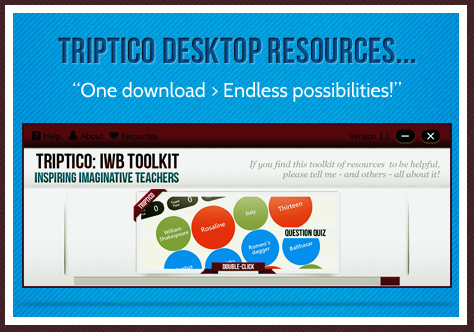
Triptico - 23 Interactive Resources

Welcome to the Triptico website.

The Triptico resource application currently contains 23 different interactive resources - all of which are easy to edit, adapt, save and share.   ALL FREE!

You can access them all with one simple download... everything is completely free - and you will receive updates whenever new resources are added! 

A variety of excellent classroom resources are available from Triptico. They work very well on the Interactive Whiteboard.

Note that Triptico resources are now accessed from a desktop application, free to download, so an Internet connection is not required to use the resources.

New resources are being added to the desktop application.

On starting the desktop application one is automatically notified if an update is available with any new resources added to the library.

Find10 was added in December for example.

Try Find 10, perhaps as a starter. This allows you to show 15 statements, 5 of which are incorrect, students have to find the 10 correct statements.


Because Triptico is an application that runs in your computer (it runs on Adobe Air, so it’s compatible with both Macs and PCs), it can be used with any make and model of interactive whiteboard.

From there you can easily navigate to any of the different interactive activity makers and you can then customise your own activities to suit your subject and lesson. As you can see, the resources on offer are often game-show inspired and range from (relatively) simple timers, image spinners and student selectors to games, quizzes and text analysis tools. The screenshots below give you an idea of the plethora of classroom-based interactive activities available:


Tuesday, December 13, 2011

Edistorm - Virtual Sticky Notes

Edistorm
Edistorm takes away the idea of sticky notes on a wall and makes it virtual. Brainstorm, think out ideas alone or with friends; plan out anything you like with Edistorm. Use virtual sticky notes in Edistorm to come up with a multitude of ideas all on one site.  There is also an APP available for smart phones.

View an introductory video:
http://www.edistorm.com/users/welcome

On the surface, Edistorm reminds me of Wallwisher.  Edistorm has some additional features and abilities that make it very useful in the classroom.  Just like Wallwisher, you brainstorm and collaborate using virtual sticky notes.  Edistorm gives you a place to organize ideas in a real-time interactive wall.  Virtual sticky notes can each have their own color and can be organized in vertical or horizontal groupings.  Edistorms can be created independently or with others in a collaborative effort.  Edistorm features an idea bot that works at the bottom of the screen offering suggested ideas based on what students add to the sticky notes in the work space.  There are a variety of bots including a rhyming bot, thesaurus, and related words.  Creating public and solo storms is always free. Creating private storms requires a subscription.
  
Edistorm in the classroom: Edistorm offers an opportunity for students to brainstorm, collaborate, and group ideas.  Students can use Edistorm to brainstorm ideas for writing, research, for grouping ideas, and collaborating on group projects. Create an Edistorm for your students and ask them to group like ideas, sort, and expand on thoughts.  This could be done for any historical event, literature, science concept, and even phonics.  Students could practice spelling by typing out their spelling words along with a sentence or synonyms on sticky notes.  Then, they can group words by spelling pattern or common phoneme blends.  Create an Edistorm of sticky notes with English words and sticky notes with a foreign language word on them.  Students can work together to group words with their meanings.   In math, create Edistorms with word problems on one color of sticky note and answers on another set of sticky notes.  Students can work to create groups of problems and their solutions.  Edistorm can be used for whole class activities using an interactive whiteboard, the class can brainstorm together and collect ideas or use the grouping feature in an activity created by the teacher or students.
Tip: Edistorm requires an email address for sign up. 

Monday, November 28, 2011

EVERNOTE - Free notetaking app for your computer, your phone and your iPad.

Evernote allows you to easily capture information in any environment using whatever device or platform you find most convenient, and makes this information accessible and searchable at any time, from anywhere.
Website:   http://www.evernote.com             Cost:   Free
Evernote makes it easy to remember things big and small from your notable life using your computer, phone, and the web.
Getting Started Guide:http://www.evernote.com/about/getting_started/
Evernote is a free note taking app that works on any device; computer, phone, iPad, the web and syncs automatically. Because of the multiple ways you can capture information to make notes it is a must have classroom app.  If you have an iPad 2 with a Smart Cover, Evernote Peek is a free app designed to help you study, learn and strengthen your memory.  Learn how to get started using Evernote and Evernote Peek and discover powerful classroom application for teaching and learning with these free apps!
●
Drag and drop images into notes using the Evernote desktop client
●
Do a screen capture of content from your computer or the web using the Evernote desktop client
●
Create an audio note with your computer or mobile device
●
Snap a picture to create a note with your mobile device or computer webcam● Email notes to your Evernote account

Other ways to create notes:

Friday, November 18, 2011

ClassTools.net

Create free educational games, quizzes, activities and diagrams in seconds!
Host them on your own blog, website or intranet!
No signup, no passwords, no charge!

Templates:

Tuesday, November 15, 2011

Diigo - Social Bookmarking and More!


Diigo - Social Bookmarking
Awesome cloud-based information management tool that enables users to collect, highlight, access and share a variety of information, on a variety of devices.


Website:    www.diigo.com
Cost: Free
Availability: Online


Use Diigo to:
    • Save important websites and access them on any computer.
    • Categorize websites by titles, notes, keyword tags, lists and groups.
    • Search through bookmarks to quickly find desired information.
    • Save a screenshot of a website and see how it has changed over time.
    • Annotate websites with highlighting or virtual "sticky notes."
    • View any annotations made by others on any website visited.
    • Share websites with groups or the entire Diigo social network.
    • Comment on the bookmarks of others or solicit comments to your shared bookmarks.

To learn more about how Diigo can be used as as information management tool, visit these pages: